Queensland’s TRA & B2SB payments
Who is eligible?
If you have a child who is registered for home education in Queensland, you can apply to claim for some financial resource payments as follows, paid directly to families by the Department of Education:
- Prep to Year 6: $100 per student (Back to School Boost).
- Years 7 to 10: $164 per student (Textbook Resource Allowance).
- Years 11 and 12: $357 per student (Textbook Resource Allowance).
This application takes 2 steps to complete!
STEP 1:
Check your email: Queensland Home Education (QHE) has made information regarding your registration details available via a linked survey sent via email for each registered child.
STEP 2:
Complete One Family Application: Next, access the Home Education Allowances Portal to submit a single application either via the Digital ID portal OR by downloading a form you can complete manually.
Transitioning from a State or Non-State School to Home Education
- Census Date Impact: If your child was enrolled in a school on the census date (5 February 2026), their allowance has already been paid to that school. You will not apply through the home education portal; instead, you must contact the school directly regarding this payment.
- Pro-rata Refunds: For secondary students leaving a state school after the end of February, the school may pay the parent a pro-rata refund of the Textbook and Resource Allowance based on a 40-week school year. For primary students leaving a state schools, the school may pay the parent any refund of the Back to School Boost that has not been accessed and used by the student.Â
Payment Timeline
- The School Financial Resourcing team aims to process your payment in the month following your application submission. However alternative application options may extend this time period.
- You will receive one combined payment for all your eligible children, which will appear in your bank account with the reference “DoE“.
- Payments will be available by application from now until November 30th this year.
THIS IS STEP 1
Accessing Registration ID for Registered Home Education Families
- Check your email: Queensland Home Education (QHE) sends one email per eligible child containing a secure, unique “Begin Survey” link.
- Access Survey Manager: Click the link, tick “Yes” to the acknowledgement, and on the next page note down your Parent Registration ID and the Child’s Registration ID. You must do this for each child using their specific email link.
*Ensure all name and other details are saved EXACTLY as mentioned in the Survey Manager information from #2 above.Â
STEP 1 with visual help
The following guide shows you the process of the email and Survey Manager application stage. You will need to enter the survey for EACH child you have registered to access their Registration ID number and note it down for the next step.Â
Email Inbox
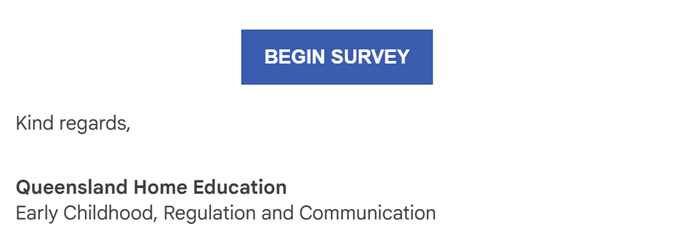
You will find the following email in your inbox:
In the email
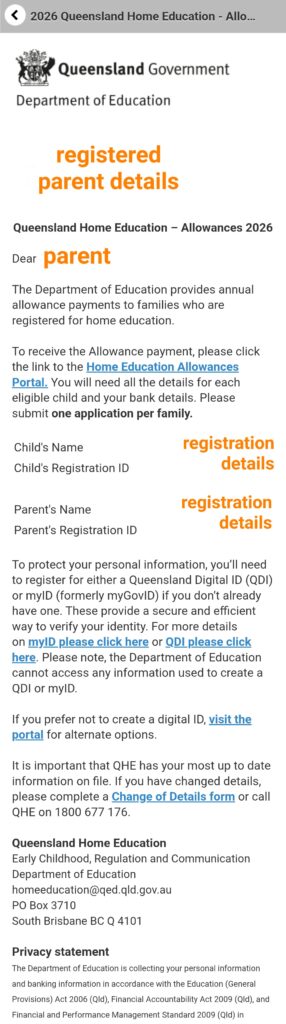
The email will contain basic information about how to apply for your 2026 allowance, under the following steps:
- (1)Â Follow the link provided in each email from QHE
- (2)Â Visit Survey Manager and check the acknowledgement
- (3)Â Visit the Home Education Allowances Portal to submit one family application
- You will need to note the following details for all eligible children before proceeding to step 3:
- Your child’s name, date of birth, and registration ID.
- Your name and Registration ID, QHE registered email and mobile number.
- Your bank account details.
- You will need to note the following details for all eligible children before proceeding to step 3:
As well as a link to the Survey Manager in #2 above, which looks like this:
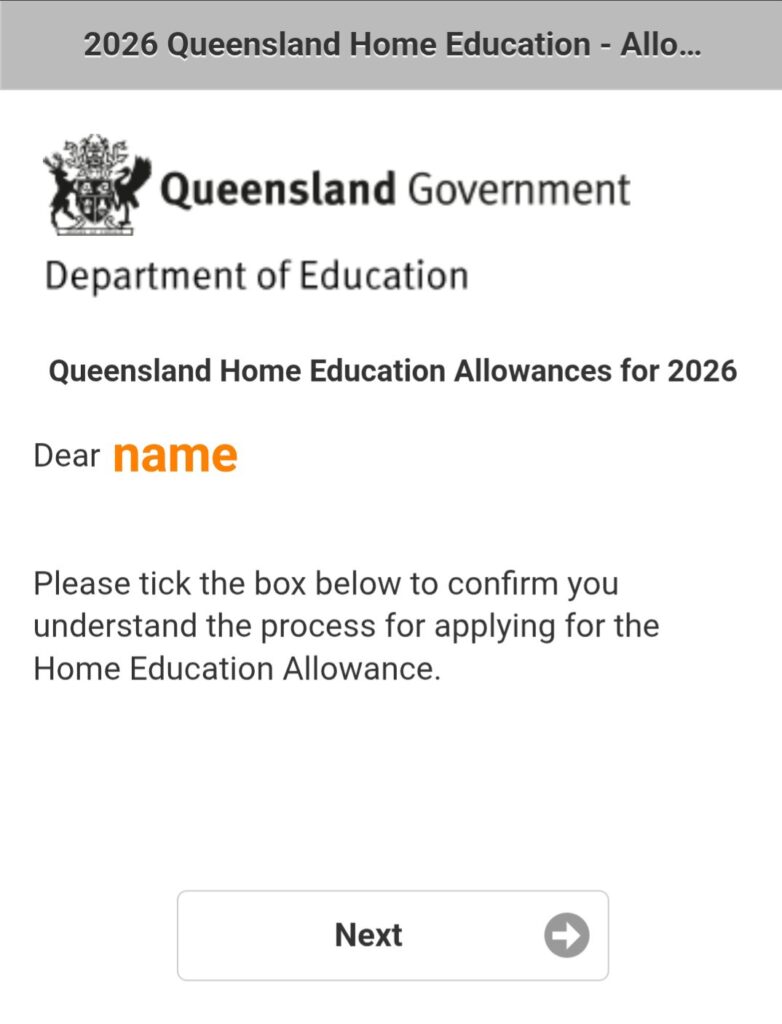
Page 1 of the Survey
When you first open the survey, this is the first page you will see.Â
Click ‘Next‘.
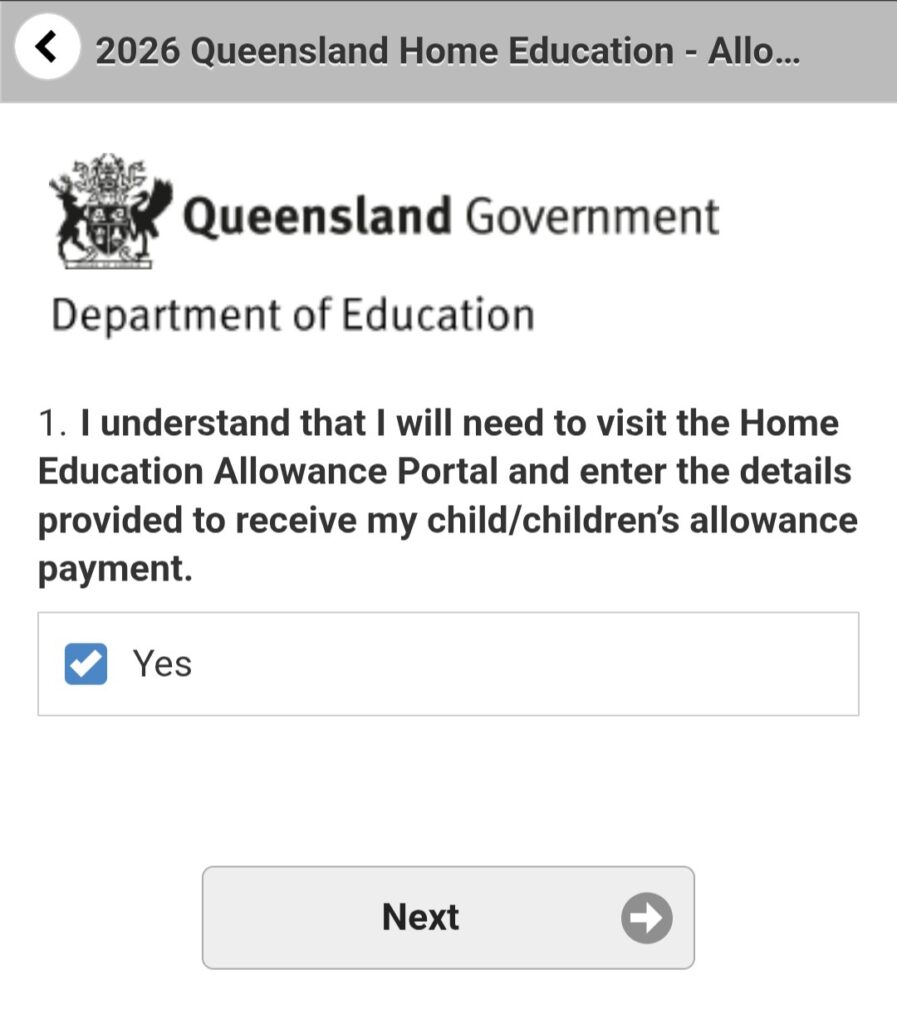
Page 2 of the Survey
This is asking you to agree that you know you need to use the Home Education Allowance Portal (or an alternative application option) before you submit the survey.Â
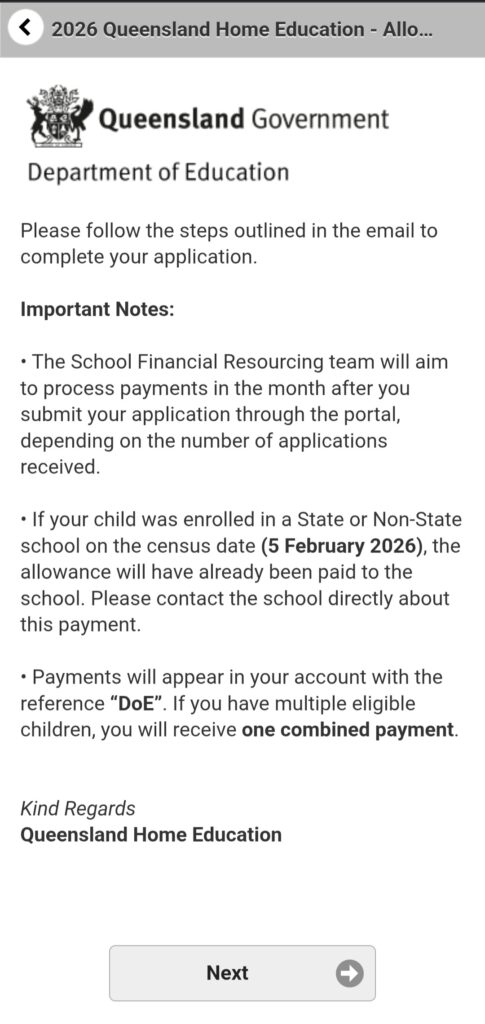
Page 3 of the Survey
Some important notes are outlined here about when payments will be processed, how your child is deemed eligible via the Home Education Allowance Portal option, and what the payment will look like in your banking statements.Â
Page 4 of the Survey
This is an important page.Â
On this page you need to note the details in orange, because you will need this to use in the portal.Â
*Note: If your or your child’s Registration ID only contains a 4-digit number, you will need to add a ‘0’ to the beginning to provide the required 5-digit number requested in the Portal.Â
Reference links used:Â
- Home Education Allowance Portal
- more details on myID
- more details on QDI
- visit the portal
- Change of Details form
THIS IS STEP 2 – Using Digital ID
Applying for the Allowances in the portal
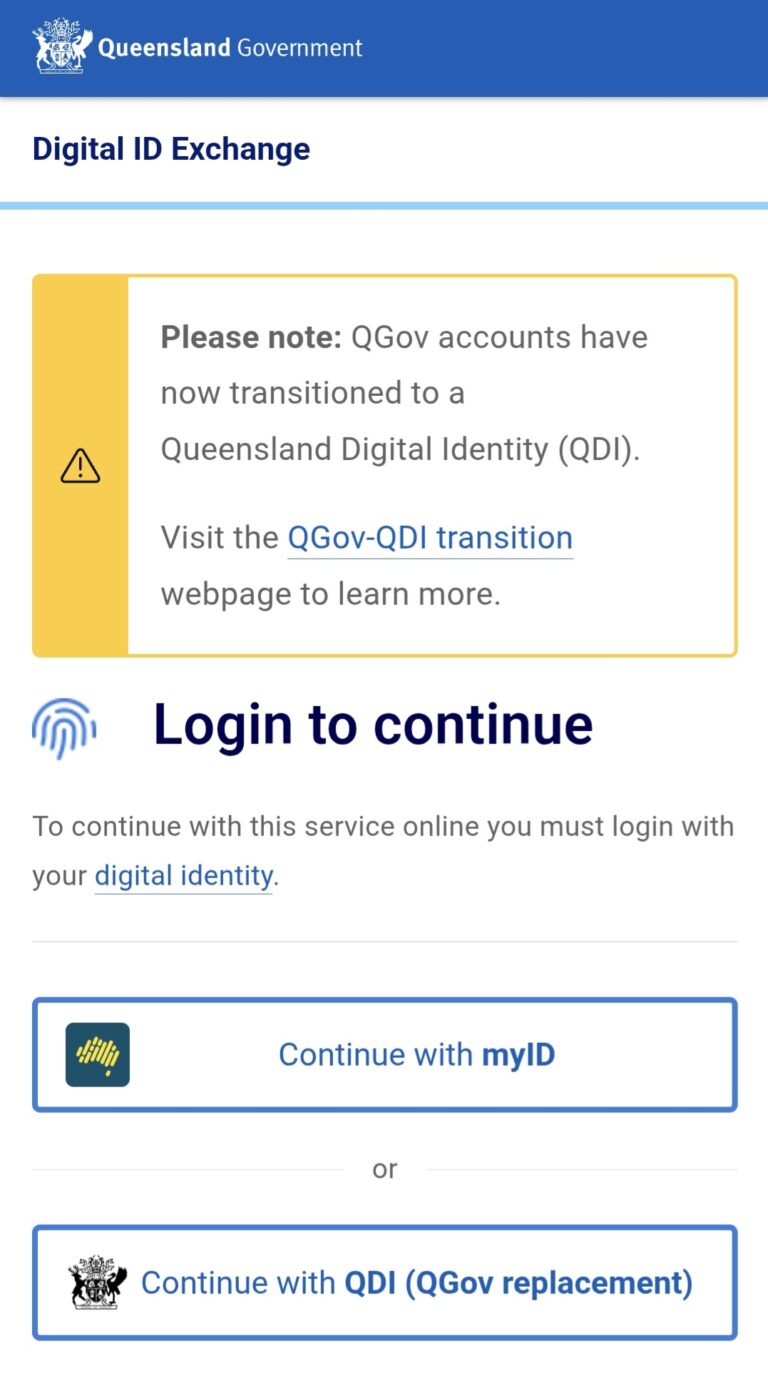
- Verify Identity: Use the link in the Survey Manager or click here to go to the Home Education Allowances Portal, where you will need to register or log in using a digital identity, such as a Queensland Digital ID (QDI) or myID. Skip this step and use the downloadable document form if you are not using a Digital ID.
- Complete One Family Application: On the Home Education Allowances Portal submit a single application for your entire family by entering the names, dates of birth, Registration IDs, your contact details, and your bank account information all at once.
*Ensure all name and other details are input EXACTLY as mentioned in the Survey Manager information from step 2.Â
- Submit: Once you have completed the details in the Home Education Allowances Portal.
The process is estimated to take 15 minutes to complete.
THIS IS STEP 2 – Without Digital ID
Non-Digital ID Application Methods & Contact Information
If you prefer not to create a Digital ID, you do not have to use the portal. You can read more information about the alternative options and accessing the portal HERE, which offers the following…
You can complete your application via the following alternative methods:
- Downable offline file: Download a printable word doc available on the portal HERE.Â
- Phone: Call 13 QGOV (13 74 68) or 1800 248 997 (free call for rural Queensland only) during business hours.
- Email: You can email QHE directly at homeeducation@qed.qld.gov.au to request your alternative application form. Â
- Special Circumstances: If you are unable to complete the online portal or the paper application form, in unique circumstances the Financial Resourcing team are able to process your enquiry over the phone. Contact 13 QGOV for this support.
STEP 2 with visual help - accessing the application
Ways you can complete the Home Education Allowance Application Process, options both with and without using a Digital ID .
Select which option below you are using to access the form to find out how…
Using the online Service Portal - myID/QID required
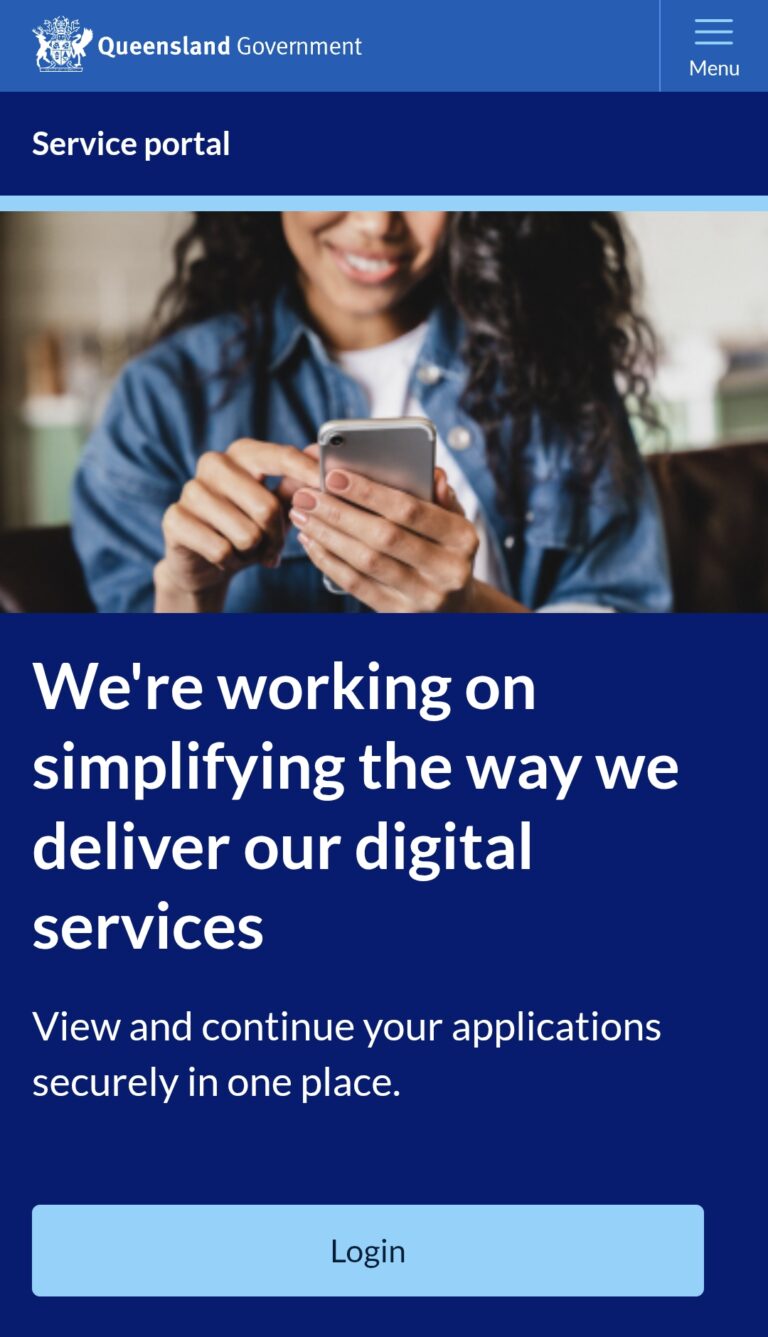
Using the details you saved from earlier, you will need to log in to the Service Portal, and fill in the form details.Â
Your link to the Service Portal might look like this page, or you might be taken straight to the login page.Â
The login page looks like this:
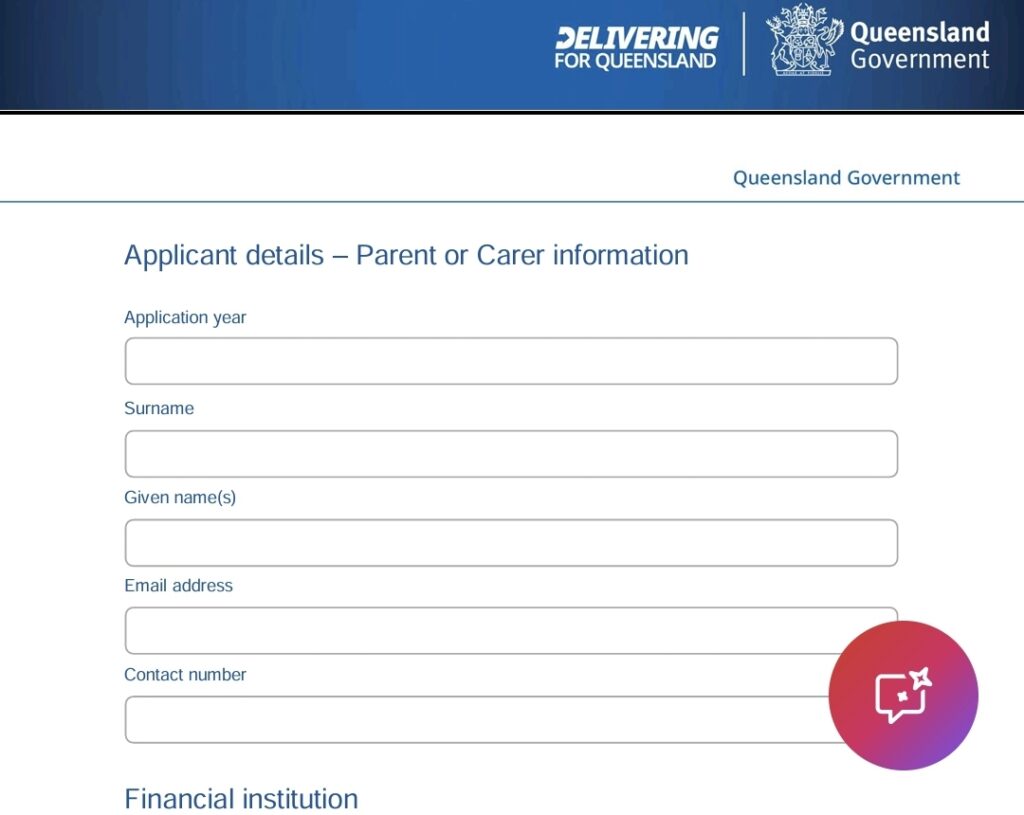
Once you are in the portal, you input:
- your details,
- your banking details (including your branch),
- your child’s details
Submit
Downloading & accessing the form as a printable option
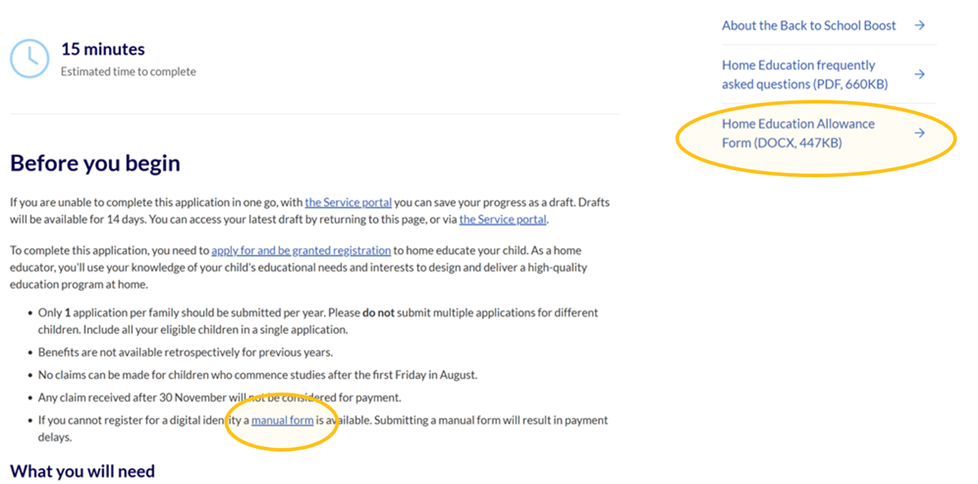
You can download an alternative application form option, not requiring the use of any Digital ID.
This form is available where circled on the Portal information page.Â
Clicking the link will automatically download the word document.Â
Once you have downloaded it you can complete it by Printing the document and complete it by hand.Â
Once completed, either
- photograph/copy to maintain a copy for your records and post to the address below, or
- photograph/scan the document and email to the email address below.
Â
- Post:
School Financial Resourcing
Department of Education
PO Box 15033
CITY EAST QLD 4002 - Email:
SFR.FINANCE@qed.qld.gov.au
Downloading & accessing the form using Word to complete
You can download an alternative application form option, not requiring the use of any Digital ID.
This form is available where circled on the Portal information page.Â
Clicking the link will automatically download the word document.Â
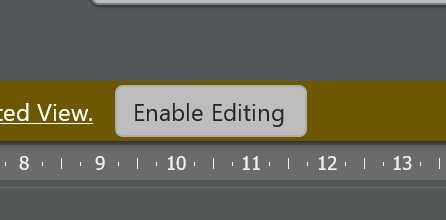
Once you have downloaded it you can complete it by opening the document in word, enabling the edit option, and complete it in your word application.Â
*In Microsoft word, the ‘enable editing‘ option is found by clicking the button at the top below the tools (or this may look different if your word processing application is different)
Once completed, click
- ‘save a copy‘ or ‘print’ and then ‘print to file‘ or ‘print to pdf‘ to save a completed copy that you can upload via email below, or
- print a hard copy to post via the postal address below
Â
- Post:
School Financial Resourcing
Department of Education
PO Box 15033
CITY EAST QLD 4002 - Email:
SFR.FINANCE@qed.qld.gov.au
Downloading & accessing the form using adobe to complete
You can download an alternative application form option, not requiring the use of any Digital ID.
This form is available where circled on the Portal information page.Â
Clicking the link will automatically download the word document.Â
Once you have downloaded it you can complete it as a PDF with an additional step. First you need to convert it to a pdf using the free ilovepdf tools, allowing you to complete the form in your pdf reader.Â
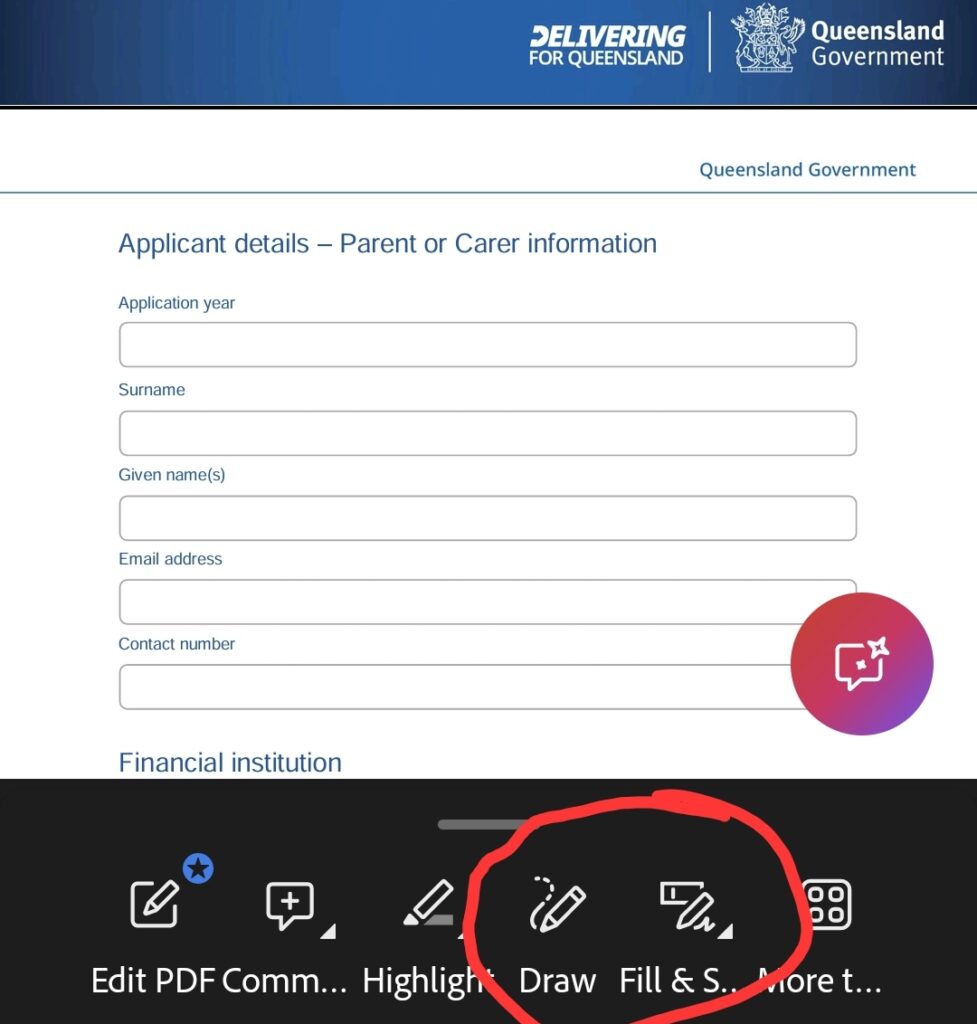
Then opening the document in your pdf reader, such as adobe, which offer a ‘fill&sign‘ tool, which you can use to input the details into the form, and also a ‘draw‘ tool allowing you to hand-sign the document.
*These tools are found at the bottom of the mobile app, and on the side bar on the computer app. As shown here:
Once completed, click
- ‘save a copy‘ or ‘print‘ and then ‘print to file‘ to save a completed copy that you can upload via email, or
- print to submit via the following postal address
Â
- Post:
School Financial Resourcing
Department of Education
PO Box 15033
CITY EAST QLD 4002 - Email:
SFR.FINANCE@qed.qld.gov.au
Emailing QHE to manually request a copy
You can email Queensland Home Education unit, who are able to provide you with an alternative application form option, not requiring the use of any Digital ID.Â
Phoning QGov to request a copy, or accessing alternative assistance
Call 13 QGOV (13 74 68) or 1800 248 997 (free call for rural Queensland only) during business hours.
They are able to provide support with completing the form and answer any questions you have about the form. As well as help assist for families who are unable to complete the online or written form.Â
Help with the form information & submitting
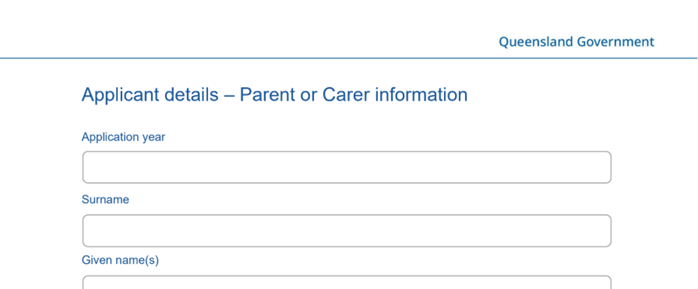
The form will be a 5 page printable form that you can complete as a pdf or print and complete by hand.Â
The application will contain space to input this payment year, your information and your banking details:
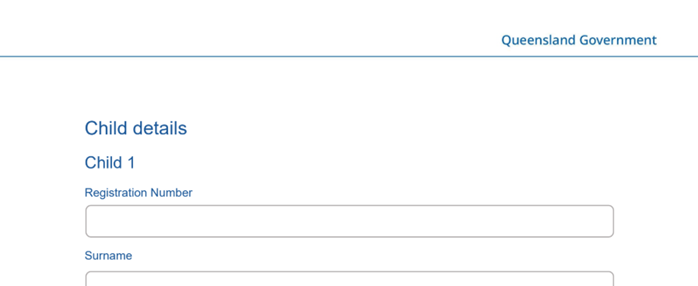
Followed by your child/ren’s details:
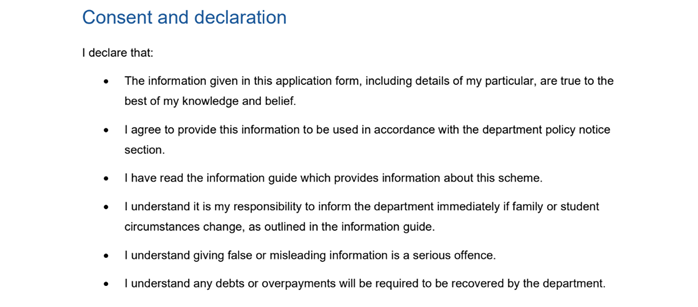
And finally the consent and declaration section to be signed:
Once completed, this form will need to be posted or emailed back to the School Financial Resourcing team for processing:
- Post:
School Financial Resourcing
Department of Education
PO Box 15033
CITY EAST QLD 4002 - Email:
SFR.FINANCE@qed.qld.gov.au